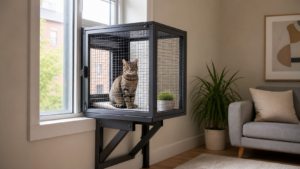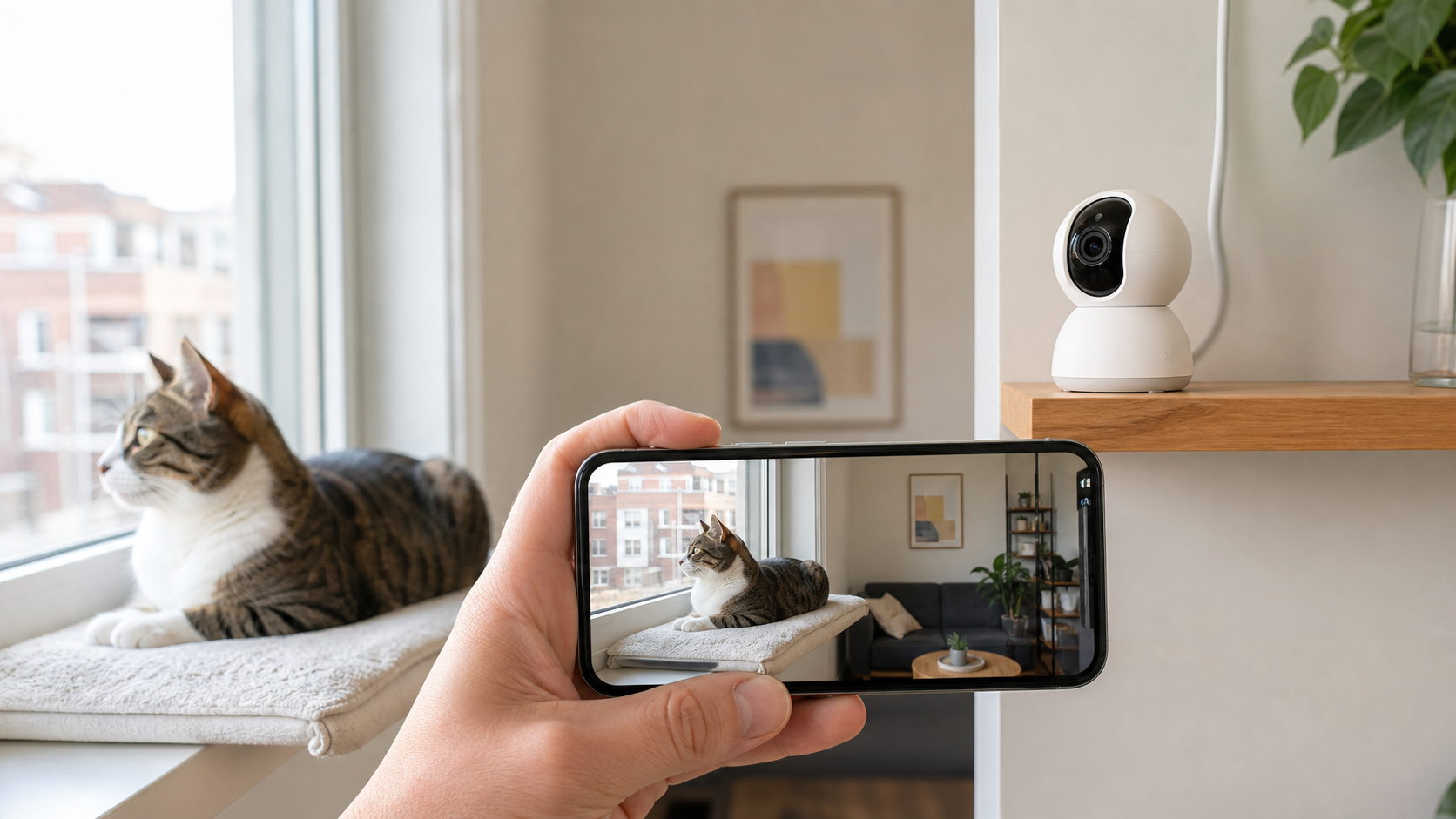
The best pet camera for cats depends on what you actually need to see and what you are willing to pay for after the camera is installed. For most apartments, the useful features are reliable live video, clear night vision, secure account access, safe cable routing, and either wide coverage or pan-and-tilt control. Treat tossing, laser play, AI alerts, and cloud history are optional—and often tied to a subscription.
Our five current picks are the Furbo 360° Cat Camera for cat-specific interaction, Tapo C225 for balanced pan-and-tilt monitoring, eufy Indoor Cam E30 for 4K local recording, Wyze Cam v4 for a compact fixed view, and Petcube Play 2 for supervised remote laser play.
This comparison is based on current manufacturer specifications and support pages, not invented hands-on testing. Features, firmware, app compatibility, subscription terms, and prices can change. Confirm the exact model and current plan details before buying.
Important: A camera can show what happened within its field of view, but it cannot examine your cat, diagnose separation anxiety, confirm food or water intake, or replace an in-person caregiver. If your cat is ill, injured, not eating, having trouble breathing or urinating, or behaving abnormally, contact a veterinarian instead of waiting for another camera alert.
Table of Contents
Best Pet Camera for Cats: Quick Answer
- Best cat-specific interactive camera: Furbo 360° Cat Camera
- Best overall balance of coverage and privacy: Tapo C225
- Best 4K camera with local storage: eufy Indoor Cam E30
- Best compact fixed-view option: Wyze Cam v4
- Best for supervised remote laser play: Petcube Play 2
If you want one practical starting point rather than a pet-specific toy, choose a pan-and-tilt model with local microSD recording and a visible privacy control. If interaction matters more than local storage, compare Furbo’s subscription-dependent smart features with Petcube’s cloud plan before deciding.
Comparison Table
| Camera | Best for | Video and coverage | Storage / subscription | Privacy and practical limits |
|---|---|---|---|---|
| Furbo 360° Cat Camera | Treat tossing and cat-specific interaction | 1080p, rotating 360° view, color night vision | Video history and advanced smart alerts require Furbo Nanny; confirm current plan | Large tabletop unit; no local microSD option listed; feather and treats require supervision and maintenance |
| Tapo C225 | Best overall apartment monitoring | 2K QHD, 360° horizontal coverage, motion tracking, invisible IR option | microSD up to 512 GB; optional Tapo Care cloud plan | Physical privacy button/lens concealment; 2.4 GHz Wi-Fi only |
| eufy Indoor Cam E30 | 4K detail and local recording | 4K, 360° pan and tilt, pet tracking, IR or color night vision | microSD local recording; optional cloud; no monthly fee required for local use | Privacy mode available; 2.4 GHz Wi-Fi only; microSD card not included |
| Wyze Cam v4 | Compact fixed view and local recording | 2.5K QHD, fixed 115.8° diagonal view, color and IR night vision | microSD up to 256 GB; optional Cam Plus for advanced cloud features | No pan/tilt; spotlight and siren should be disabled around a cat unless specifically needed |
| Petcube Play 2 | Remote interactive laser sessions | 1080p, fixed 160° view, night vision, two-way audio | Basic live use without a plan; stored video and smart alerts depend on Petcube Care | Fixed view; laser needs active supervision, careful aiming, and a physical reward at the end |
There is no universal winner. The best choice is the least complicated camera that covers the cat’s important area, offers the storage you will actually use, and provides privacy controls you understand.
How We Chose These 5 Cameras
We compared features that matter in a cat household rather than ranking cameras by marketing language.
Useful coverage
A fixed camera works when your cat usually sleeps, eats, or enters one predictable area. Pan-and-tilt helps in a larger room, but it does not see through walls or furniture. Multiple inexpensive fixed cameras may cover an apartment better than one rotating camera positioned poorly.
Night visibility without unnecessary disturbance
Cats are often active in low light. Infrared night vision is usually more useful than a bright spotlight. Some cameras show visible red IR LEDs; others provide a less visible infrared mode. A motion-triggered white light or loud siren can startle a cat, so disable those features unless you intentionally need them.
Storage without hidden assumptions
Compare three separate needs before paying: live viewing while you are away, playback of an event you missed, and automatic pet-specific alerts. “No subscription required” does not necessarily include all three. For a local-recording shortlist, compare the Tapo C225 and Wyze Cam v4 configurations in the table; include a compatible microSD card in the purchase cost and check which alerts remain paid features. For a cloud plan, calculate first-year cost as camera price plus any required accessories plus 12 monthly payments, or the quoted annual plan—not both. Confirm the exact camera bundle, trial expiry, renewal price, recording history and cancellation terms before checkout. Local storage and cloud storage also behave differently if the camera is stolen, disconnected or offline.
Privacy controls
We looked for physical lens concealment, camera-off or privacy modes, encrypted transmission claims, account security options, local storage, and clear permission settings. A privacy button is useful only if household members remember to use it.
Cat-safe installation
The camera should resist tipping, stay outside the cat’s reach, and have no dangling cable. Treat dispensers and moving toys add cleaning, calorie, entanglement, and frustration considerations that ordinary security cameras do not have.
No invented medical value
A camera can document timing and frequency, but a clip is not a diagnosis. It can help you show a veterinarian what you observed, especially when the behavior occurs only during your absence. It cannot determine hydration, pain, urinary blockage, anxiety, or whether a cat consumed the full amount placed in a bowl.
Retailer link note: These are ordinary retailer links. Indoor Cat Expert does not currently earn a commission if you purchase through them. They are provided to help you verify current availability and product details.
1. Furbo 360° Cat Camera — Best Cat-Specific Interactive Pick
The Furbo 360° Cat Camera is the most specialized option in this group. The manufacturer lists a rotating 360° view, 1080p video, color night vision, two-way audio, auto tracking, treat tossing, and an attached feather toy. That combination suits an owner who actively wants remote interaction rather than simple observation.
What stands out
- Cat-specific tabletop design
- Rotating view and auto tracking
- Treat tossing
- Replaceable feather-wand attachment
- Two-way audio
- Color night vision
- Meowing and other advanced alerts through Furbo Nanny
The important limitation
Furbo’s comparison page places video history and advanced smart alerts within the paid Furbo Nanny service. The camera may be sold through bundles or promotions tied to a plan, so compare total first-year and renewal cost—not only the discounted device price.
The interactive features also need management. Treats add calories and can jam if their size or texture is unsuitable. A feather attachment can wear, loosen, or become too exciting for unsupervised use. Inspect it regularly and remove any damaged component.
Best for
Choose Furbo when treat tossing and active check-ins are the main reason you want a camera and you accept the likely subscription cost for recorded history and smarter alerts.
Skip it when
Choose another model if local microSD recording, a small footprint, or the lowest ongoing cost matters more than interaction.
2. Tapo C225 — Best Overall Balance
The Tapo C225 offers a useful middle ground for an apartment: 2K QHD video, 360° horizontal coverage, smart motion tracking, two-way audio, local microSD storage, optional cloud storage, and a physical privacy control that conceals the lens.
Tapo lists a 4MP maximum resolution of 2688 × 1520, up to 512 GB microSD support, 360° horizontal and 149° vertical coverage, pet detection, activity zones, and invisible infrared options. Features can vary by hardware version, app version, region, and whether Tapo Care is active, so verify the exact unit sold in your market.
What stands out
- Pan and tilt for broad room coverage
- 2K detail
- Physical privacy button and lens concealment
- Local microSD recording
- Optional rather than mandatory cloud plan
- Pet, motion, and sound-related detection options
- Invisible IR mode for less visible night illumination
The important limitation
The camera uses 2.4 GHz Wi-Fi and needs continuous power. Some alert features or snapshot notifications may depend on Tapo Care. Auto tracking can also pan away from another important zone, so review the recorded framing before relying on it.
Best for
Tapo C225 is the strongest general-purpose choice for someone who wants pan-and-tilt coverage, physical privacy control, and local recording without buying an interaction-focused pet device.
3. eufy Indoor Cam E30 — Best 4K Local-Storage Pick
The eufy Indoor Cam E30 is the resolution-focused option. Eufy lists 4K UHD recording, 360° panoramic coverage, two-way audio, on-device detection for people and pets, pet tracking, infrared and color night vision, local microSD recording, and an optional cloud plan.
Its product comparison states that local use does not require a monthly fee, although the microSD card is sold separately. Eufy’s support page says local recordings are encrypted and that remote access to local recordings remains available through the app. Cloud backup and some cloud-assisted notification features can still send selected data to the cloud.
What stands out
- 4K recording for a detailed view
- Pan-and-tilt coverage
- Local microSD recording
- No monthly fee required for local recording
- On-device pet detection and tracking
- Privacy mode
- Optional cloud storage
The important limitation
E30 supports 2.4 GHz Wi-Fi rather than 5 GHz. HomeKit viewing is limited to 1080p according to Eufy. Higher resolution also creates larger files and may require stronger Wi-Fi and more storage. Do not assume “4K” guarantees a clear view if the room is dark, the cat is behind furniture, or the camera is mounted too far away.
Best for
Choose E30 when local recording, pan-and-tilt, and higher resolution matter more than treat tossing or a pet-specific app.
4. Wyze Cam v4 — Best Compact Fixed-View Pick
Wyze Cam v4 replaces the older v3 in this comparison. Wyze lists 2.5K QHD video, a 115.8° diagonal field of view, color and infrared night vision, two-way audio, push notifications, local microSD support up to 256 GB, Wi-Fi 6 on 2.4 GHz, and optional Cam Plus services.
The fixed view is both its advantage and limitation. It is compact and easy to aim at one feeding, sleeping, or doorway zone, but it cannot follow a cat around the room. For some apartments, two carefully placed fixed cameras provide more dependable coverage than one pan-and-tilt device.
What stands out
- 2.5K video in a compact body
- Local microSD recording
- Color and infrared night vision
- Flexible stand, wall, ceiling, or magnetic mounting options
- Optional paid cloud features
The important limitation
The built-in spotlight and siren are security features, not cat-enrichment tools. Disable automatic light or siren actions in a pet area unless you have a specific reason to use them. Advanced detections and longer cloud functionality may require Cam Plus.
Best for
Choose Wyze Cam v4 when you need a compact fixed camera for one high-value zone and do not need pan, tilt, treats, or laser play.
5. Petcube Play 2 — Best for Supervised Remote Laser Play
Petcube Play 2 combines a fixed 160° view, 1080p video, night vision, two-way audio, and a built-in laser toy. Petcube currently lists the model for sale and describes the laser as certified, but the safest use still requires active control: never aim toward eyes, mirrors, reflective surfaces, stairs, balconies, or obstacles.
What stands out
- Wide fixed field of view
- Built-in remotely controlled laser
- Two-way audio
- Night vision
- Petcube app access
- Optional Petcube Care for stored video and smart alerts
The important limitation
Laser movement can trigger chasing without providing a physical object to catch. Some cats become frustrated or over-aroused. Keep sessions short, guide the dot along the floor rather than up walls or furniture, and finish with a physical toy or small food reward the cat can actually capture. Do not depend on autoplay for a cat whose response you have not observed directly.
Petcube states that a subscription is not required for basic camera use, but stored video and smart alerts depend on Petcube Care. The camera is fixed rather than pan-and-tilt.
Best for
Choose Play 2 only if remote interactive play is a genuine priority and you will supervise each session. If you mainly want monitoring, a Tapo, eufy, Wyze, or Petcube Cam 360 is simpler.
Which Features Are Worth Paying For?
Pan and tilt
Worth it when one camera must cover several cat zones in the same open room. Less useful when walls, doors, shelves, or furniture block the view.
Local microSD storage
Worth it when you want recordings without a recurring cloud fee. Check card capacity, recording mode, encryption, overwrite behavior, and whether remote playback works without a subscription.
Cloud history
Worth it when off-site video survives damage or theft of the camera and you need easy remote playback. Review retention length, download limits, number of cameras covered, renewal price, and privacy terms.
Pet detection and AI alerts
Potentially helpful, but not proof of health or safety. Sunlight, curtains, insects, people, and other pets can create false alerts; a sleeping or hidden cat can create false reassurance. Treat every automated label as a prompt to review the footage.
Two-way audio
Some cats orient calmly to a familiar voice; others search for the person, become alert, or ignore it. Test at home while another person observes the cat. Stop if remote speech repeatedly causes hiding, agitation, or persistent searching.
Treat tossing
Useful for a cat that tolerates the sound and safely eats the chosen treat. Count those treats within daily calories, clean food-contact parts, and do not use it to replace meals or medication.
Laser play
Only worth paying for if you will actively supervise and finish with something the cat can catch. A laser is not a substitute for physical wand-toy play.
Safe Camera Placement in an Apartment
Place the camera where it can see a meaningful zone rather than simply the largest amount of floor.
Good locations include:
- A stable high shelf facing the cat tree and main resting area
- A wall or ceiling mount covering the feeding zone and room entrance
- A corner that sees multiple travel paths without pointing into a private human space
- A position that allows the privacy control to remain accessible
Avoid:
- An unstable table the cat can jump onto
- A dangling power cord or loose adhesive cable clip
- Direct placement beside water, food splashes, a humidifier, or litter dust
- A low position where the lens, feather, laser aperture, or treat chute can be pawed
- A camera aimed at a bed, bathroom, neighbor’s window, or shared corridor beyond what is necessary
- Bright backlighting from a window that turns the cat into a silhouette
Secure the cord in a protective channel and leave enough ventilation around the power adapter. Follow the manufacturer’s mounting instructions and obtain landlord approval before drilling.
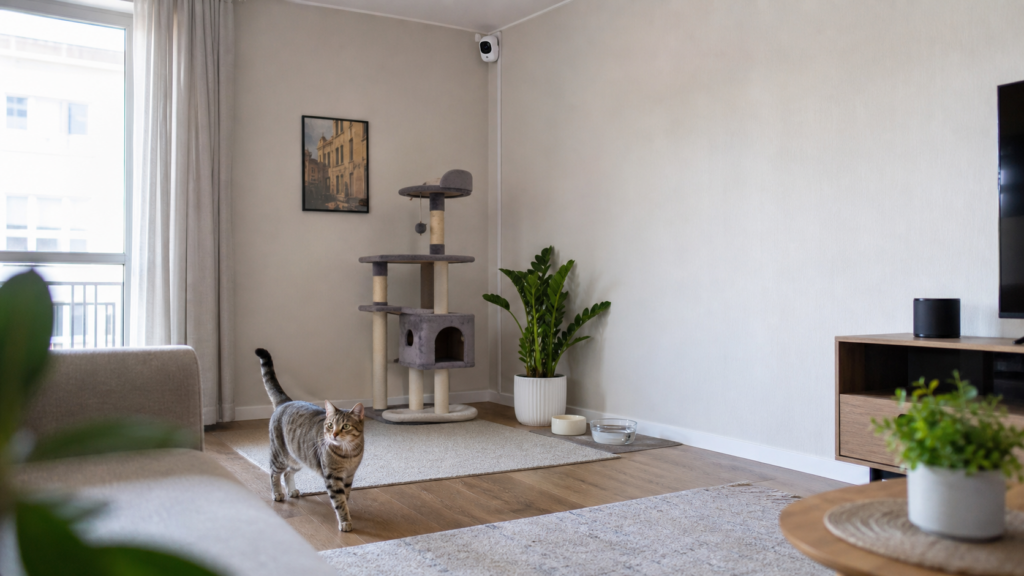
Run a practical coverage test while you are home. View the live stream during daylight and at night, walk through the cat’s normal path, check blind spots, and confirm that the camera remains stable when the cat jumps nearby.
How to Use a Camera Without Misreading Your Cat
A camera is most useful for patterns, not isolated clips.
Record a baseline
Before using alerts to judge change, observe several ordinary days. Note normal sleeping locations, periods of activity, vocalizing, feeding-zone visits, and interactions among pets. Cats spend substantial time out of frame, so “not seen” does not mean “not eating” or “not moving.”
Review context around a behavior
A short meow clip may miss the delivery noise, outdoor cat, appliance, or household member that occurred first. Review footage before and after the event when available.
Do not diagnose separation anxiety from an alert
Research on feline separation-related problems remains limited. Behaviors such as vocalizing, destructive activity, inappropriate elimination, agitation, or reduced activity can have multiple behavioral, environmental, and medical causes. A camera can document when behavior occurs, but assessment belongs with a veterinarian and, when appropriate, a qualified behavior professional. See our separate guide to cat separation anxiety for warning signs and next steps.
Keep human care in the plan
A camera cannot refresh water, clean a litter box, notice every health change, restore power, fix a jammed feeder, or transport a cat to a clinic. If you are planning an absence, compare cat boarding vs a pet sitter and review how to leave a cat alone for the weekend before relying on remote monitoring.
Privacy and Account-Security Checklist
An indoor camera can expose live audio and video from your home. The U.S. Federal Trade Commission recommends researching encryption, securing the home network, updating camera and app software, using a strong unique password, enabling two-factor authentication when available, and controlling how livestream access is shared.
Use this checklist:
- Buy from a manufacturer that still publishes firmware and support information.
- Update the camera firmware and mobile app before use.
- Replace any default account or device password.
- Use a long, unique password stored in a password manager.
- Enable multi-factor authentication if the account supports it.
- Secure the router with WPA2 or WPA3 and current firmware.
- Consider a separate guest or IoT network if your router supports it.
- Review who can view, control, share, or download video.
- Remove access for a sitter, guest, or former household member when it is no longer needed.
- Disable cloud recording, audio, remote access, AI processing, or integrations you do not use.
- Use privacy mode or unplug the camera when monitoring is unnecessary.
- Delete old recordings according to a deliberate retention schedule.
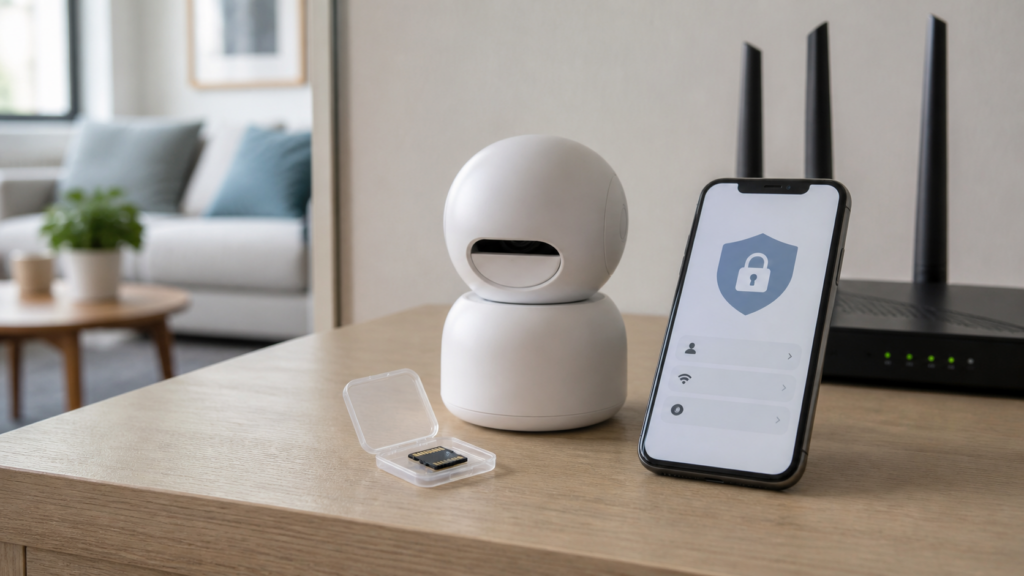
If a camera is sold used, factory-reset it before connecting it to your network. Before selling, donating, or discarding your own camera, remove it from the account, erase local storage, reset it, and revoke shared users.
Frequently Asked Questions
What is the best pet camera for cats without a subscription?
Tapo C225, eufy Indoor Cam E30, and Wyze Cam v4 all support local microSD recording according to their current official specifications. A card is generally sold separately. Some notifications, cloud history, advanced detections, or snapshots may still depend on a paid plan, so compare the free feature list for the exact hardware and region.
Is a 360° camera better for cats?
It is better when one camera needs to cover multiple open zones. It cannot see around furniture or through closed doors. A fixed camera is often sufficient for a feeding station, favorite bed, or single entryway.
Can a pet camera tell me whether my cat ate or drank?
It can show visits within the camera’s view, but it cannot reliably measure how much the cat consumed unless a separate calibrated device provides that data. In a multi-cat home, it may also be difficult to identify which cat consumed what. Use measured bowls, feeding records, or an appropriate feeder and contact a veterinarian about meaningful changes.
Can I watch the litter box with a camera?
You may aim a camera at the approach to the litter area if doing so respects household privacy, but avoid placing electronics where litter dust, urine, moisture, or cleaning products can reach them. Footage cannot determine whether a cat has a urinary blockage. Repeated straining, frequent unproductive trips, crying, or inability to pass urine is an emergency requiring immediate veterinary care.
Will hearing my voice comfort my cat?
Responses vary. Test two-way audio while you are nearby and another person can observe. Continue only if the cat remains relaxed. Do not repeatedly call a cat that searches anxiously for you.
Can a camera replace a pet sitter?
No. It cannot provide hands-on welfare checks, clean litter boxes, refresh water, verify food intake, respond to equipment failure, or obtain veterinary care. It is a supplement to an appropriate care plan.
Where should I point the camera?
Prioritize the cat’s main sleeping and activity zone, feeding area, or apartment entry path. Avoid private human spaces and secure the device and cable beyond the cat’s reach.
How many cameras do I need?
Start with one camera covering the highest-value open area. Review blind spots before buying more. In a small apartment, one pan-and-tilt unit may be enough; separate rooms generally require separate cameras if coverage is essential.
Final Verdict
For most apartments, the Tapo C225 offers the strongest balance of pan-and-tilt coverage, local storage, and visible privacy control. Choose the eufy Indoor Cam E30 when 4K local recording matters most, and Wyze Cam v4 when one compact fixed view is enough. Furbo 360° Cat Camera and Petcube Play 2 make sense only when their interactive features justify the extra cost or subscription trade-offs.
The best pet camera for cats is not the model with the longest feature list. It is the camera you can secure, place safely, understand, and use without mistaking remote video for hands-on care.
References
- Furbo. Compare Furbo Cameras.
- TP-Link Tapo. Tapo C225 Specifications.
- eufy. Indoor Cam E30.
- Wyze. Wyze Cam v4 Tech Specs.
- Petcube. Petcube Play 2.
- U.S. Federal Trade Commission. How to Secure Your Home Security Cameras.
- de Souza Machado, D., et al. (2020). Identification of separation-related problems in domestic cats. PLOS ONE.
- Ellis, S. L. H., et al. (2013). AAFP and ISFM Feline Environmental Needs Guidelines. Journal of Feline Medicine and Surgery.